Software · Primary school · Middle and high school · Neural networks · Artificial intelligence · Ministry of Digital Development register
NNTrack is a visual, block-based environment for designing neural network architectures, training them, and exporting them for use on hardware modules.
- Age
с 7 лет; с 12 лет
Description and specifications
Registration No. 13372 in the register of the Russian Ministry of Digital Development, Communications and Mass Media.
Age: 7 years and up when using built-in neural networks; 12 years and up for the 20-lesson Designing and Training Convolutional Neural Networks in the NNTrack Visual Modelling Environment course (in Russian).
Complies with Order No. 838 of the Russian Ministry of Education dated 28 November 2024 (clause 2.18.6) (in Russian). Official NNTrack website. NNTrack is included in the list of technical equipment for computer science classrooms (in Russian).
The package includes one perpetual licence for one workstation (PC). An educational institution can purchase any number of licences. The licence is granted under a licence agreement; software activation keys are supplied on a physical medium.
Technical support, teaching materials, and updates are included at no extra cost. The package also includes a digital teaching and learning course after a network cooperation agreement is concluded: Python Programming, a collection of Python exercises and solutions, and the Introduction to C++ Programming course. Teacher training is provided online. These course pages are in Russian.
More on the Wiki (in Russian).
About the NNTrack visual modelling environment
NNTrack is designed for creating and training neural network models without programming knowledge and for working with pre-trained neural networks that recognize video streams and Russian speech and process big data. Users can study how neural networks work, implement popular architectures such as VGG19, ResNet, and YOLO, adjust hyperparameters, and view training progress in real time through charts and metrics.
The software can integrate with external devices, including Arduino-compatible controllers such as Trackduino, mobile and stationary robots, visual environments such as Trekikod, drones, and game engines. NNTrack can be used for projects ranging from smart games and robots to face, voice, and emotion recognition and big data analysis.
When integrated with unmanned aerial vehicles (UAVs), NNTrack can be used to practise applying neural networks to fire and smoke detection, locating people, monitoring infrastructure such as power lines, roads, and pipelines, and monitoring crop conditions. NNTrack is intended for a broad audience, from school students to university students, engineers, and early-career AI specialists.
To help users get started with artificial intelligence and neural networks, NNTrack includes 13 ready-made neural networks. These can control robotic models based on the Trackduino controller or an Arduino-compatible controller.
NNTrack and its teaching package support the advanced-level Informatics curriculum, section 1, “Machine Learning and Artificial Intelligence,” as described in the approved draft order of the Russian Ministry of Education on the Federal State Educational Standard for Secondary General Education. NNTrack supports the planned educational outcomes of the standard, including understanding the role of machine learning in AI and the main data analysis tasks (classification, clustering, and regression), as well as practical skills in data collection, cleaning and quality assessment, model selection and construction, data transformation and visualization, and result interpretation.
The environment helps students choose a model type based on the task and data, understand how intelligent systems work, build them in practice, and use ready-made libraries and modern algorithms, including neural network tools.
Extend the software and explore additional technologies
- NNTrack can connect to Trekikod (in Russian), send it data from a trained neural network, and use that data to control the Trackduino controller and sprites.
- A trained neural network can be exported to removable storage for use on a UAV, provided it has a Raspberry Pi 5 with 8 GB of memory or a more powerful microcomputer.
- NNTrack can connect to Arduino-compatible microcontrollers over a serial port and send them the neural network's image-processing results.
- An open API allows data from built-in and custom neural networks to be sent to third-party software.
- Neural network data can be sent to robotic platforms built with the Trackduino controller, including Robotrack robotics construction kits and manipulator kits.
Computer system requirements
| Component | Minimum | Recommended |
|---|---|---|
| Processor | x64 architecture with AVX, clock speed ≥ 3 GHz | x64 architecture with AVX, clock speed ≥ 4 GHz |
| RAM | ≥ 4 GB | ≥ 8 GB |
| Operating system | Microsoft Windows 10 | Microsoft Windows 11 |
Installation instructions
- Download the
NNTrack.exeinstaller. - Run
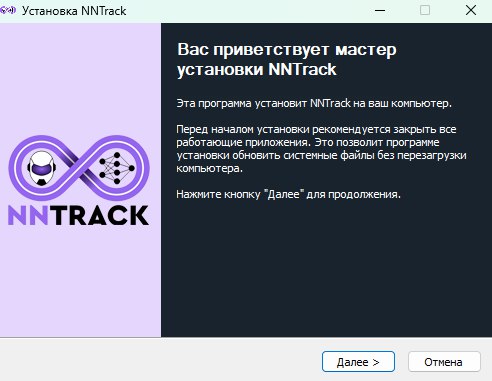
NNTrack.exe. - Select Next.
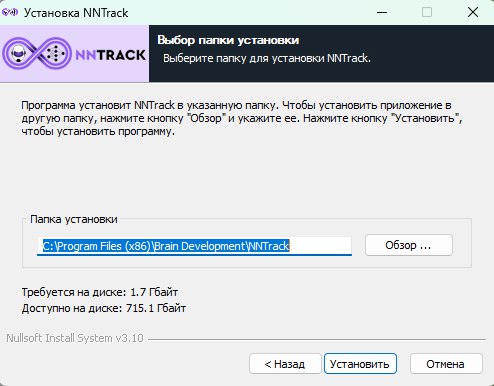
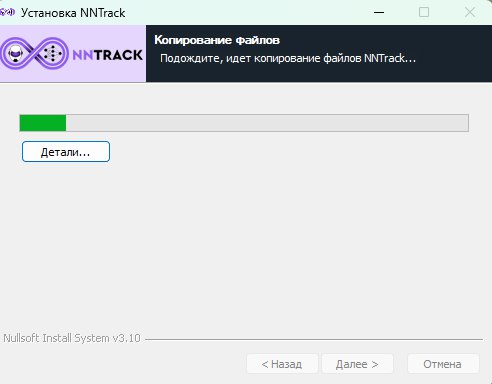
- Choose an installation location or keep the default. Make sure the drive has at least 1.8 GB of free space, then select Install.
- During installation, the program may offer to install the required Microsoft Visual C++ packages.
- Wait for the installation to finish, then select Next.
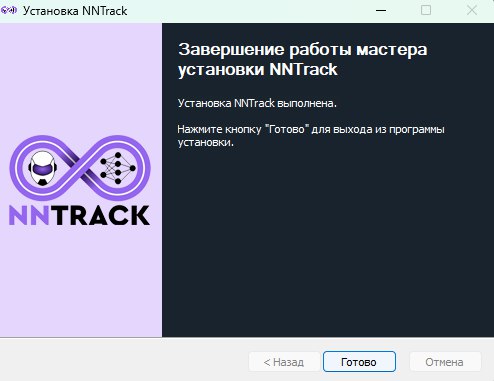
- Select Finish to complete installation.
Main window
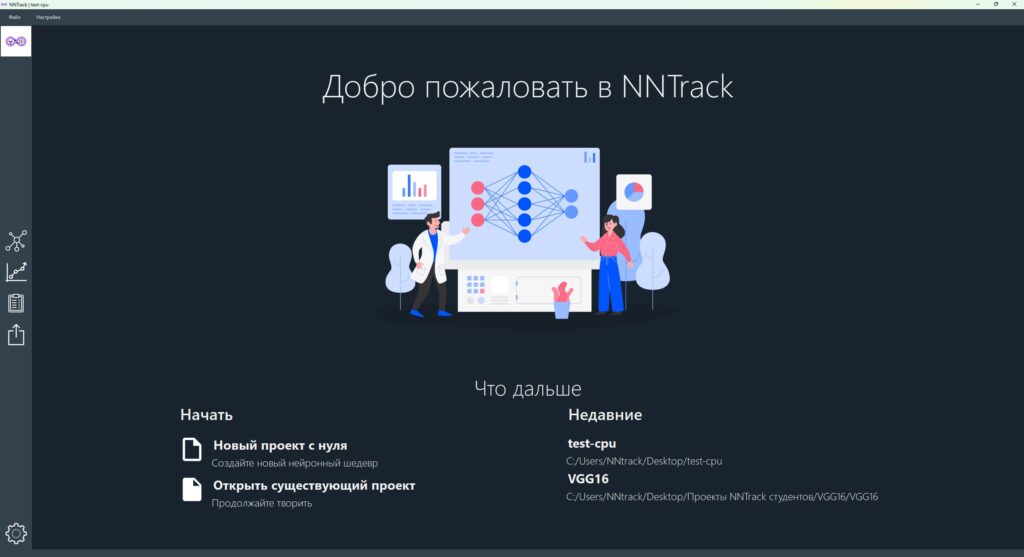
The main window is the program's starting point. Its top menu provides quick access to key functions. A navigation bar on the left opens the main window, modelling window, training window, export window, and settings window. Hovering over an item displays the destination window's name; the active window is highlighted with a white background. A status bar at the bottom displays information and error messages. The main area provides quick access to project actions, including creating and opening projects, and a list of recently opened projects.
Video
Downloads
Full NNTrack description (in Russian) · Explanatory note for the NNTrack course (in Russian)
Documents
Related products