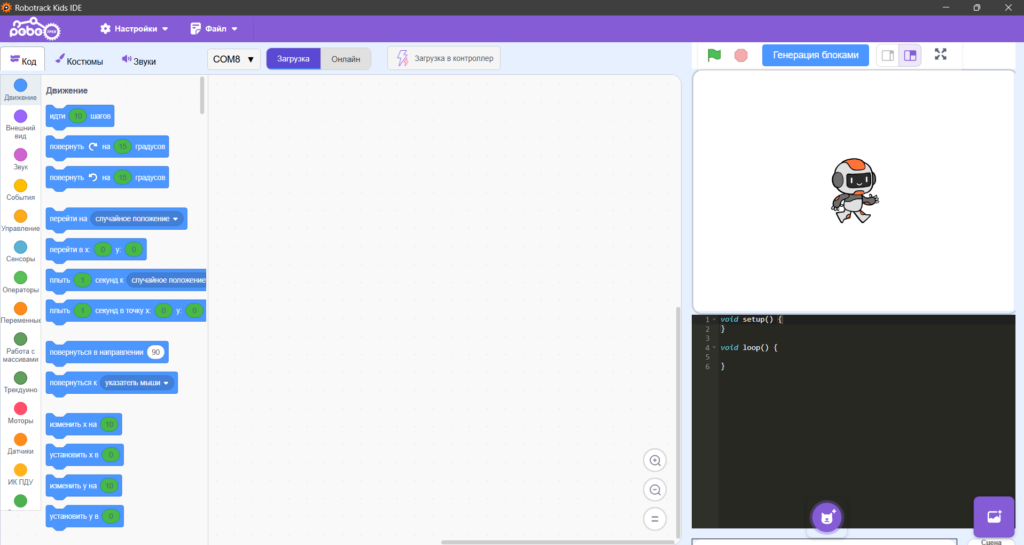
We are pleased to introduce Robotrack Kids IDE, our new Scratch-based visual programming environment.
This version of the software can be used to program children’s robotics projects with the Malysh 2 kit and its small servo motor. It supports programming the Trekduino controller, sprites, and backgrounds.
The software includes:
- a visual block-based programming interface;
- tools for creating sprites and backgrounds;
- a C++ code editor.
The controller can be programmed with visual blocks or by writing C++ code. The blocks generate code for the controller in real time. Programs can be run without compiling them or uploading them to the controller.
The Robotrack Kids IDE programming workbook contains 10 lessons. Each lesson is a hands-on exercise that combines building an engineering model with step-by-step development of a control program. Students work on specific tasks that reinforce how actuators, sensors, and control logic work.
In the lessons, students:
- explore sound sensors, built-in buttons, and infrared sensors;
- learn to limit the movement of mechanisms based on sensor signals;
- control the movement and direction of motors and servomotors;
- work with belt and gear transmissions and write programs using modes, loops, and conditions;
- practice remote control with a handheld controller.
The workbook offers two programming formats:
- building a program from scratch, step by step, for each model;
- using a universal program with the algorithms needed to select and control models and interact with them in real time through a PC.
All activities take place in Robotrack Kids IDE, which is adapted for preschool, primary, and middle school students. Its blocks are easy to navigate and follow logic similar to Scratch.
Our specialists are adding other kits from the Robotrack range to the software, and they will be supported in the coming months. Follow our updates!
The software and installation instructions are available here.