
Description
Artintrek processes video streams using neural networks and computer vision. The module includes:
- 11+ pretrained neural-network models;
- 64-bit CPU;
- 4 GB or 8 GB RAM;
- 16 GB or 32 GB flash storage;
- an accelerator for video processing;
- mounting connectors compatible with Robotrack kits;
- UART or Wi-Fi connectivity;
- two micro-HDMI ports;
- two USB 2.0 ports;
- a cooling system;
- a built-in 1700 mAh, 7.4 V battery and charging connector;
- a power switch and power indicator LED.
Artintrek can be used to learn the fundamentals of artificial intelligence and computer vision. Ready-made scripts send neural-network results to a controller to operate robotic models. NNWizard software is also provided for learning about and developing neural networks.
The learning program has three modules. Modules 1 and 2 teach learners of different ages how neural networks are built and trained, how they may develop, and how they are used in modern society:
- Module 1 has 10 lessons for younger students. It introduces AI, intelligence, and the human brain; the history of AI and neural networks; their role in underwater, aerial, and ground robotics; and their use in computer games and sports. Students explore emotion-recognition tasks and create projects using neural networks.
- Module 2 has 15 lessons. It covers the history of AI, including neural networks, how different types of networks work, and their significance and prospects. Practical activities use neural networks to recognize and detect text, handwritten digits, faces, and more. Both modules use pretrained networks to explore recognition of text, images, emotions, gestures, and a person's age.
- Module 3 is for learners aged 12 and older. It teaches them to build neural networks from scratch in the visual NNTrack environment. No programming-language experience is required: learners use visual blocks to create and train networks, then test them with robotics kits. The video course contains 18 step-by-step lessons.
The module also supports real-time speech recognition using its built-in processing, without an Internet connection. Recognized text is sent to the Trackduino microcontroller and can control a robot—for example, movement, LEDs, or lighting colors. Russian and English speech are supported.
Detailed information about the Artintrek module is available on GitHub.
Preinstalled neural-network models
Artintrek is supplied with pretrained models for video processing:
| Model | Purpose and example |
|---|---|
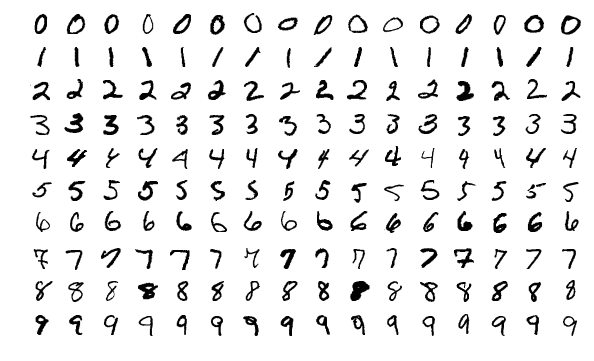
| MNIST | Handwritten digit recognition. Example |
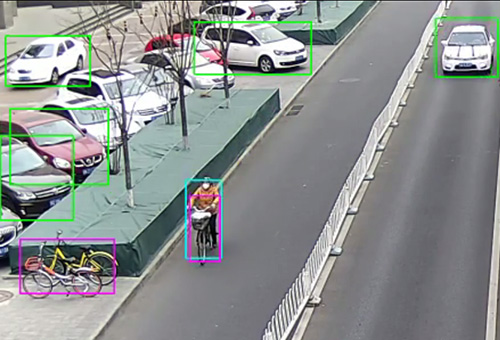
| ImageNet Classifier | Classifies objects from 1,000 categories. Example |
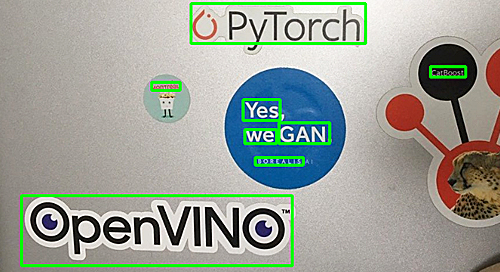
| Text recognition | Recognizes text. Example |
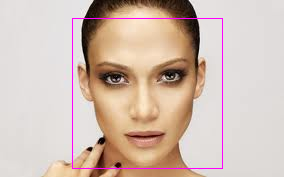
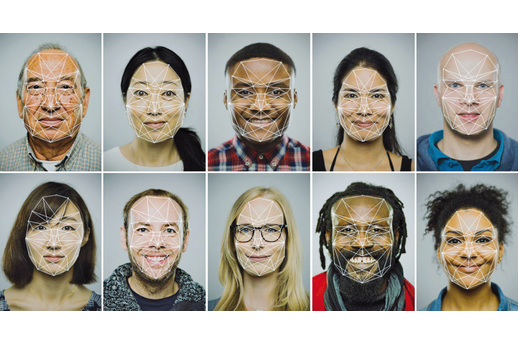
| Face detection | Finds faces. Example |
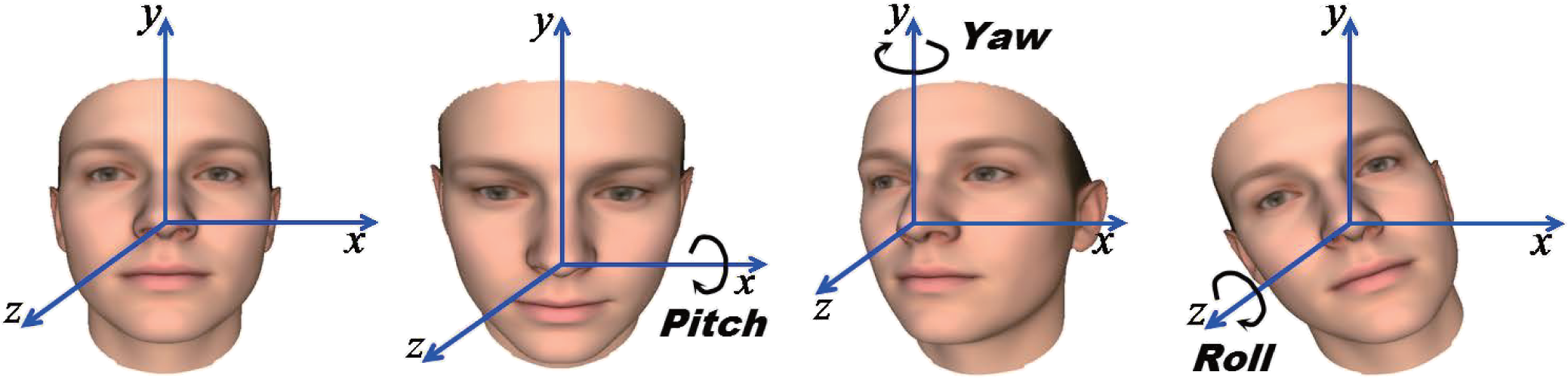
| Head pose estimation | Estimates head rotation angles. Example |
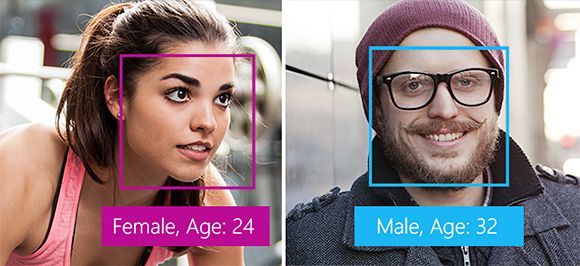
| Age and gender estimation | Estimates age and gender from a face. Example |
| Emotion recognition | Recognizes emotions. |
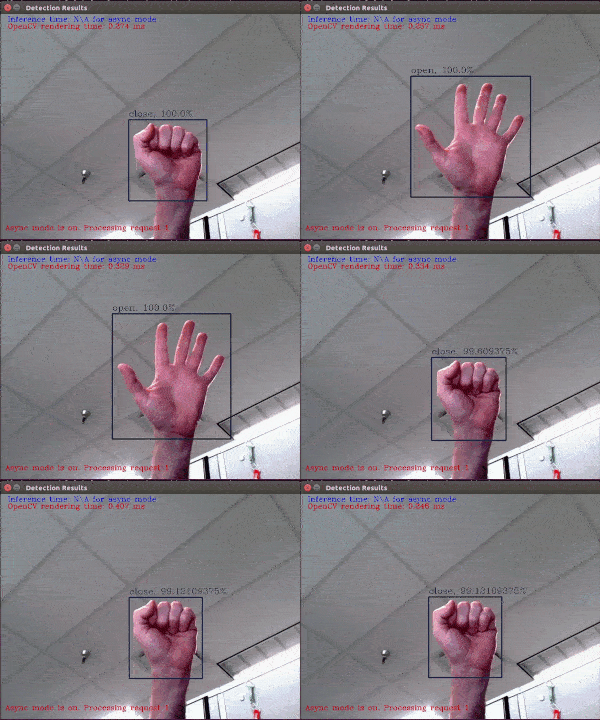
| Hand gesture recognition | Recognizes hand gestures. Example |
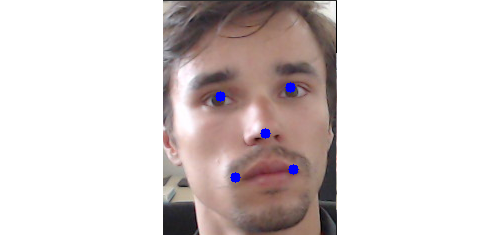
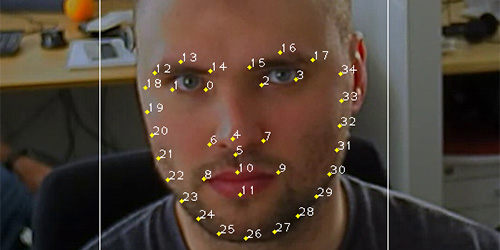
| Face landmarks (5) | Locates five facial landmarks. Example |
| Face landmarks (35) | Locates 35 facial landmarks. Example |
| Face recognition | Recognizes faces. Example |
Power and controller connection
Artintrek is powered by its built-in battery. The communication connector is UART. Connect the Artintrek module to Trackduino or Trackduino PRO by connecting GND, RX, and TX to the corresponding UART contacts on the controller.
The module cools both the graphics accelerator and the internal processor.
Connecting devices
Two USB ports are provided for external devices and data exchange. An external USB camera must be connected to one of them for the module to work.
Script identifiers
Start a script with void trackcv_neural_start(Neural_script_id script_id);. It starts when information is requested for the first time.
Neural_script_id_dummy = 0,             // Empty placeholder
Neural_script_id_mnist = 1,              // MNIST
Neural_script_id_imagenet = 2,           // ImageNet
Neural_script_id_text_detection = 3,     // Text detection
Neural_script_id_face_detection = 4,     // Face detection
Neural_script_id_head_pose = 5,          // Head pose angles
Neural_script_id_age_gender = 6,         // Age and gender estimation
Neural_script_id_emotion = 7,            // Emotion recognition
Neural_script_id_gesture = 8,            // Hand gesture recognition
Neural_script_id_landmarks_5 = 9,        // 5 facial landmarks
Neural_script_id_landmarks_35 = 10,      // 35 facial landmarks
Neural_script_id_face_recognition = 11   // Face recognition
TrackCV computer vision mode
Artintrek can use the TrackCV computer vision library, also used by the Vitrack module. The library provides functions for face detection, line tracking, circle detection, QR-code recognition, motion detection, and color analysis.
Initialize the module
Start by calling:
bool Trackcv_init(int32_t (*reader)(void), bool (*writer)(char), int32_t (*putfunc)(unsigned char));
Parameters: reader reads from the port; writer writes to the port; putfunc is the logging callback. Returns true if the module responds, or false on error (the error code is available through Errno).
Poll the module
bool trackcv_check(void); checks whether the module is available and working. It returns true if the module responds or false on error (with the error code in Errno).
Set the analysis frame
The following functions set the analysis frame boundaries as percentages of the full frame. Their default value is 0:
void trackcv_set_frame_x(uint32_t frame_x);— left X coordinate as a percentage of frame width.void trackcv_set_frame_y(uint32_t frame_y);— bottom Y coordinate as a percentage of frame height.void trackcv_set_frame_height(uint32_t frame_height);— frame height as a percentage of frame height.void trackcv_set_frame_width(uint32_t frame_width);— frame width as a percentage of frame width.
Error codes
After a function call, an error may be indicated by the returned default value. Retrieve the status using Errno trackcv_get_errno();.
typedef enum {
  ERR_OK = 0,        // Operation successful
  WRONG_INDEX = 1,   // Invalid array index
  NO_MODULE = 2,     // No response from module
  MODULE_ERR = 3,    // Module error
  COMM_ERR = 4,      // Communication library error
  MODULE_NOREADY = 5 // Module is not ready
} Errno;
Program examples
Download ready-made examples for programming the Trackduino controller and using Artintrek. Neural-network status is shown in the serial monitor; the algorithm result is indicated by the color of the RGB LED built into Trackduino. Download all examples.
| Example | Result | Image |
|---|---|---|
| MNIST handwritten digit recognition | The LED flashes as many times as the recognized digit. | 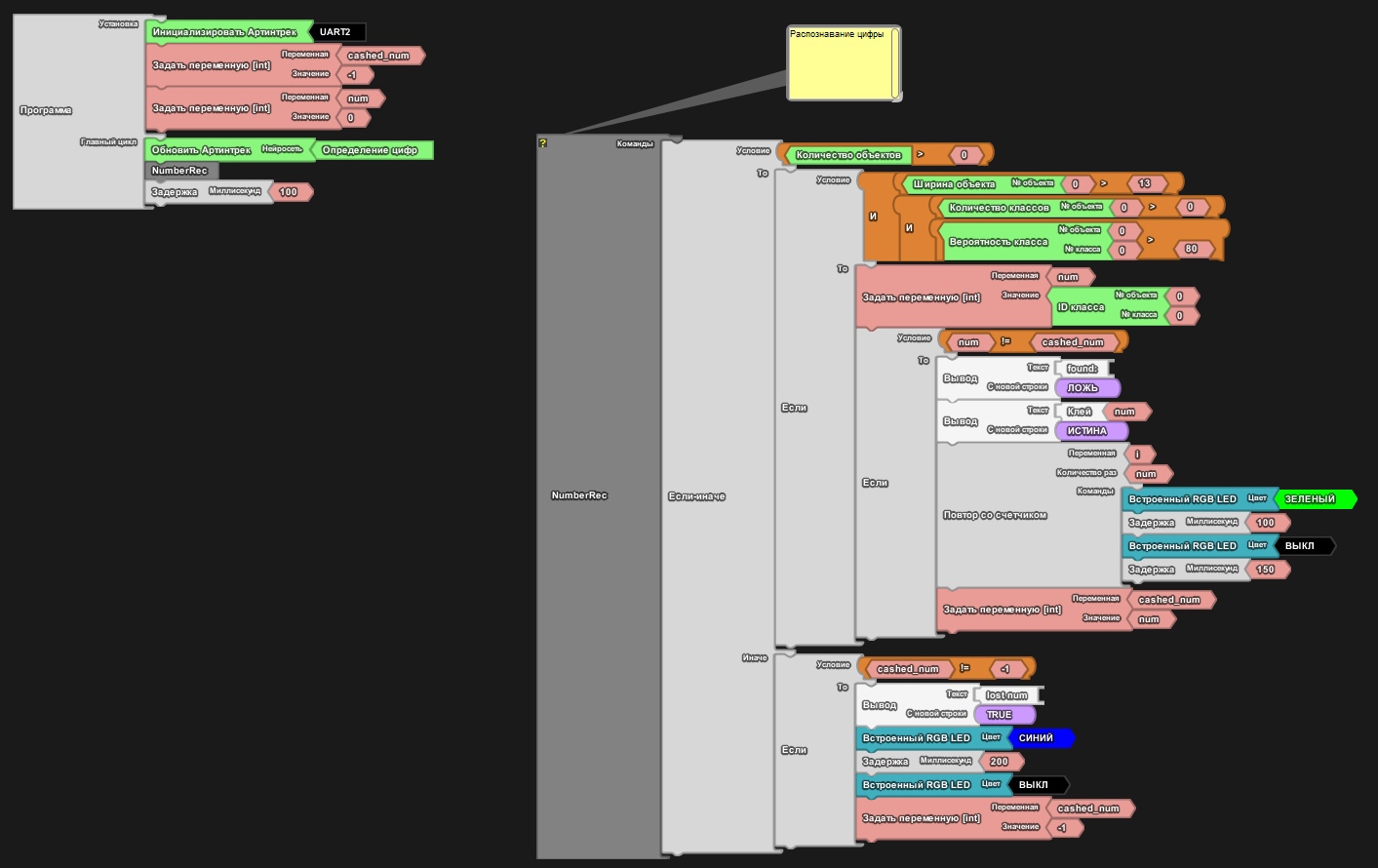 |
| ImageNet classifier (1,000 classes) | On detecting an object from the database, the green LED turns on and the object number appears in the serial monitor. The example folder contains the class list. | 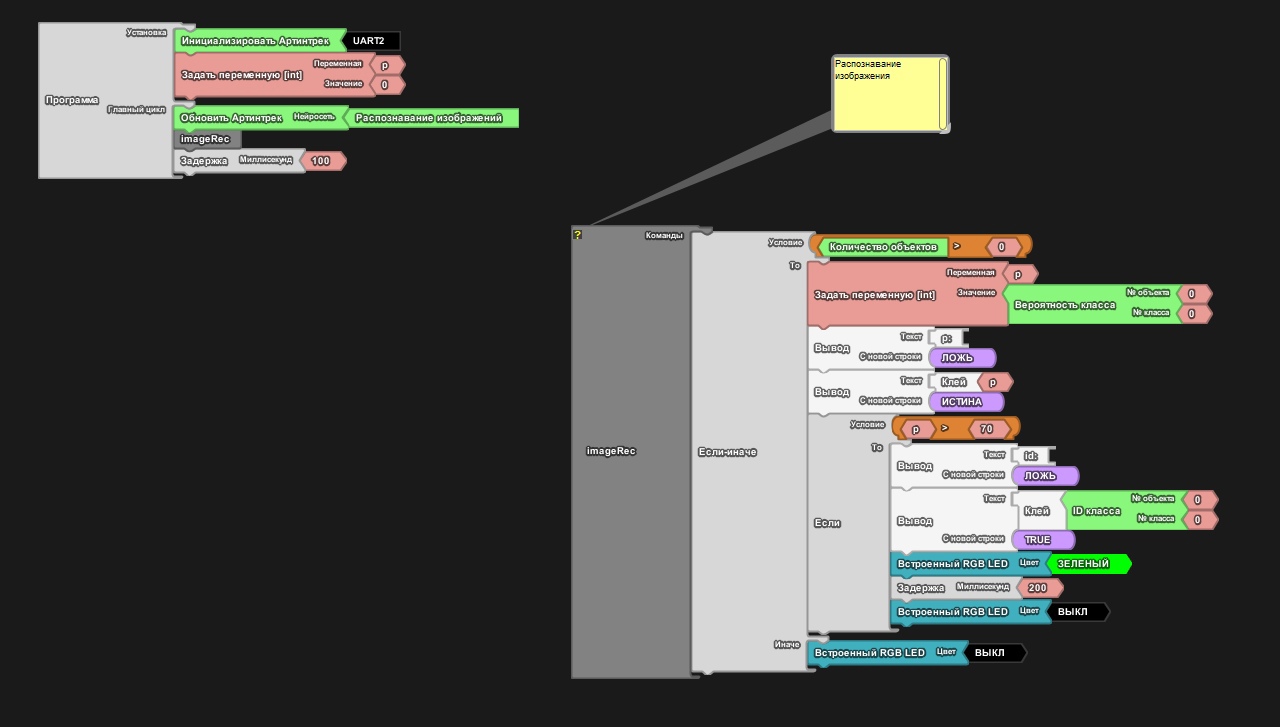 |
| Text recognition | Displays the recognized text and confidence in the serial monitor. | 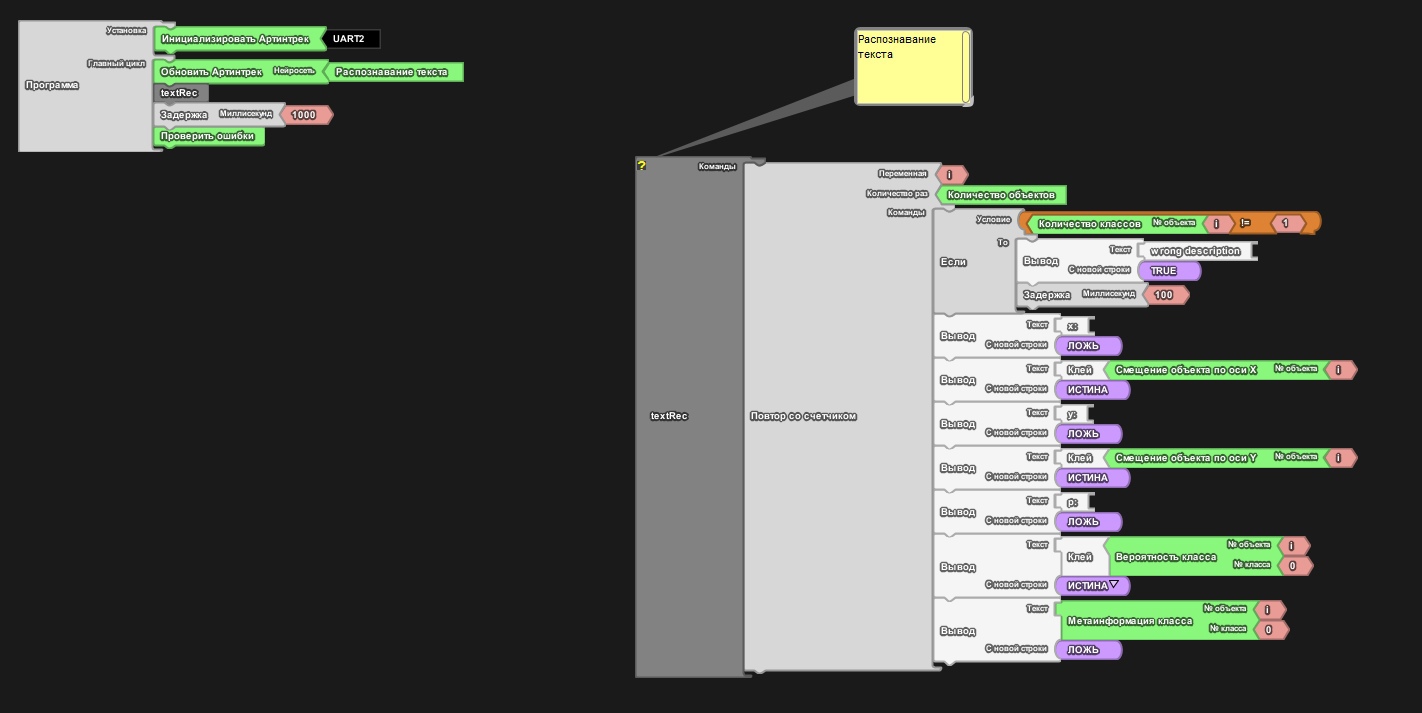 |
| Face detection | Displays face coordinates in the serial monitor. | 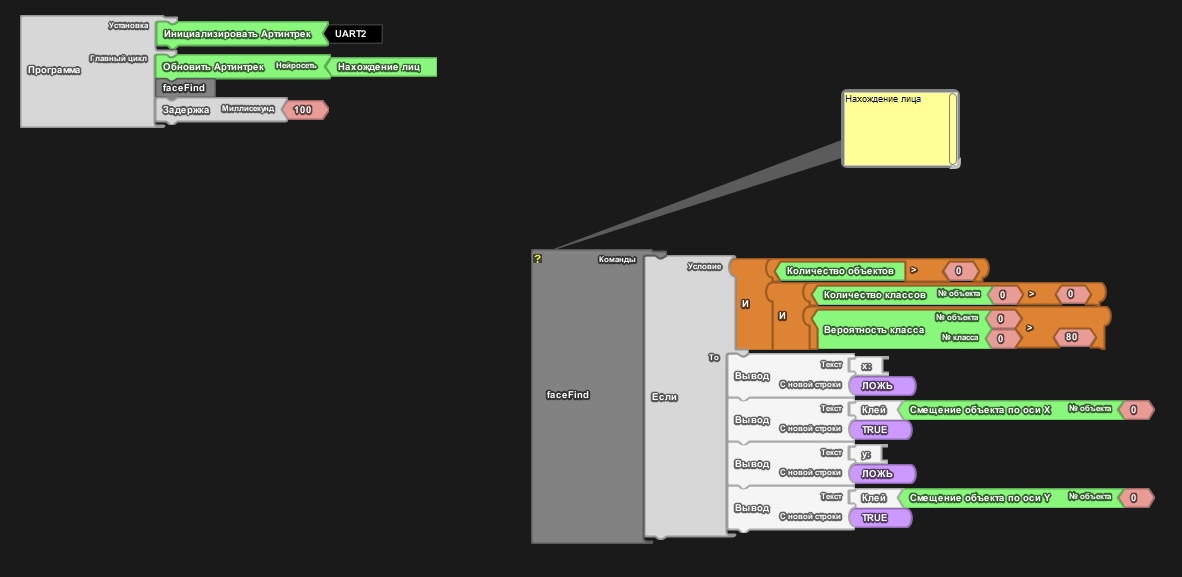 |
| Head pose | Displays head rotation around three axes. | 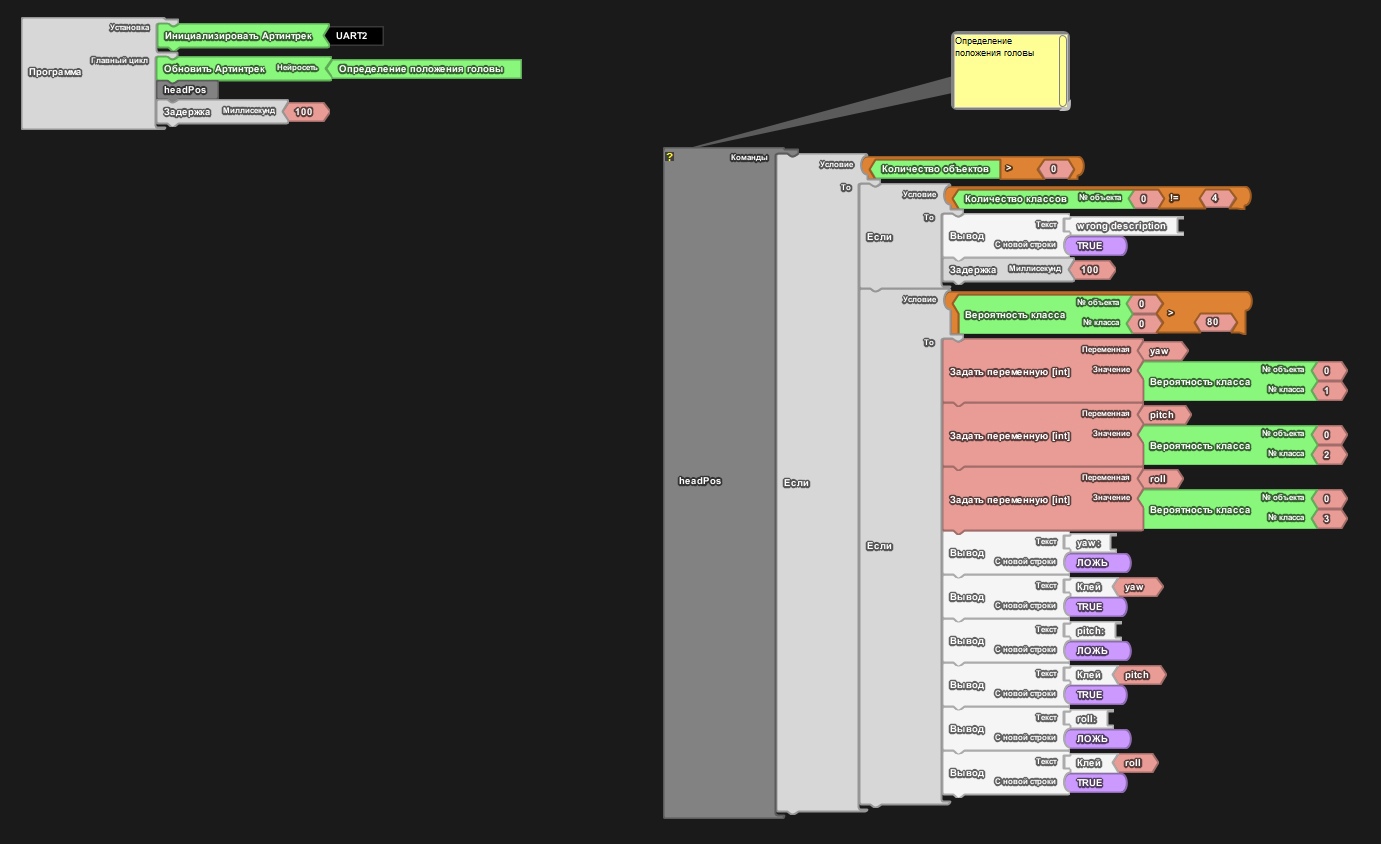 |
| Age and gender estimation | Displays the age, gender, and confidence values. | 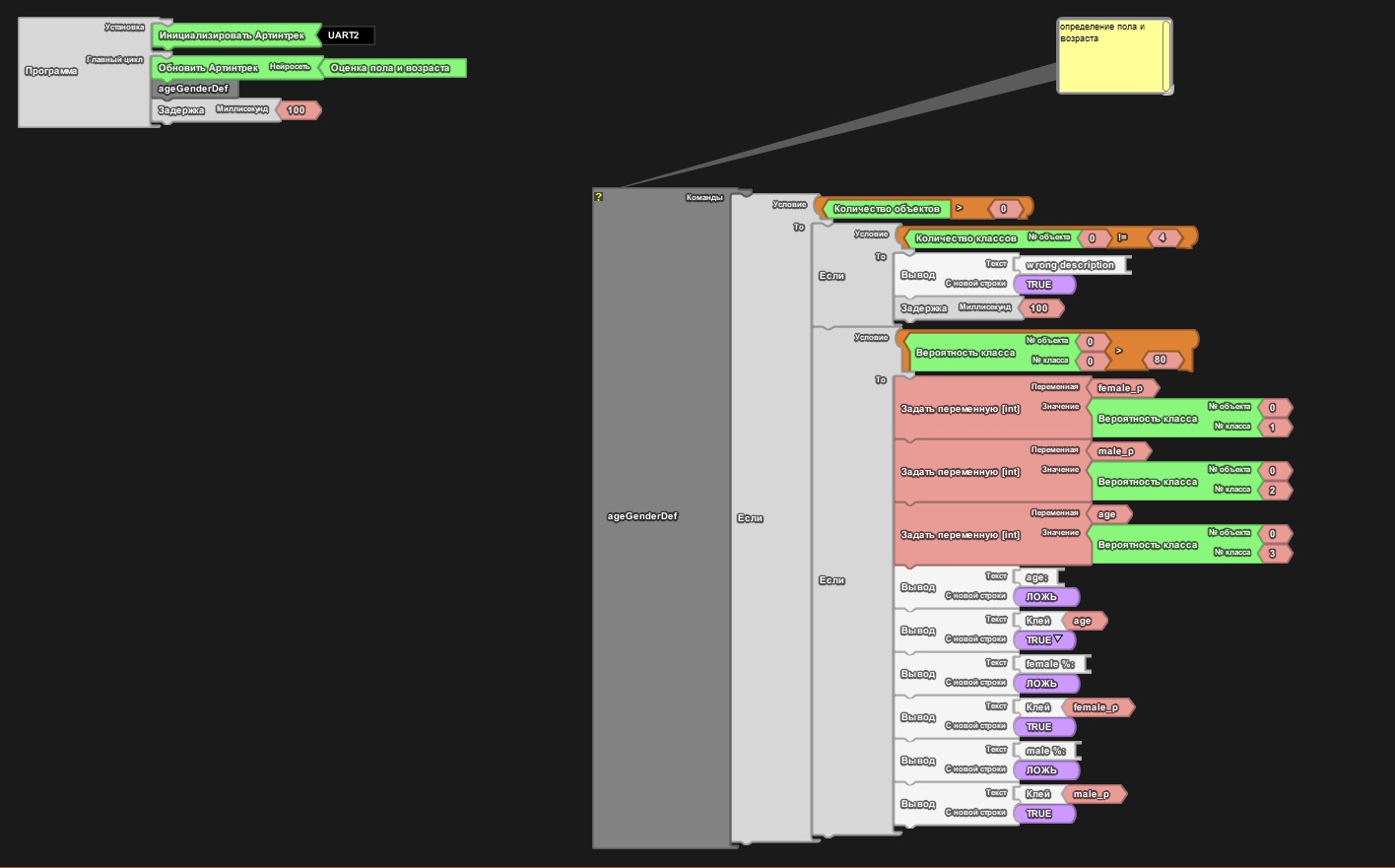 |
| Emotion recognition | Displays the emotion and confidence; smiling turns the RGB LED green, while sadness turns it red. | 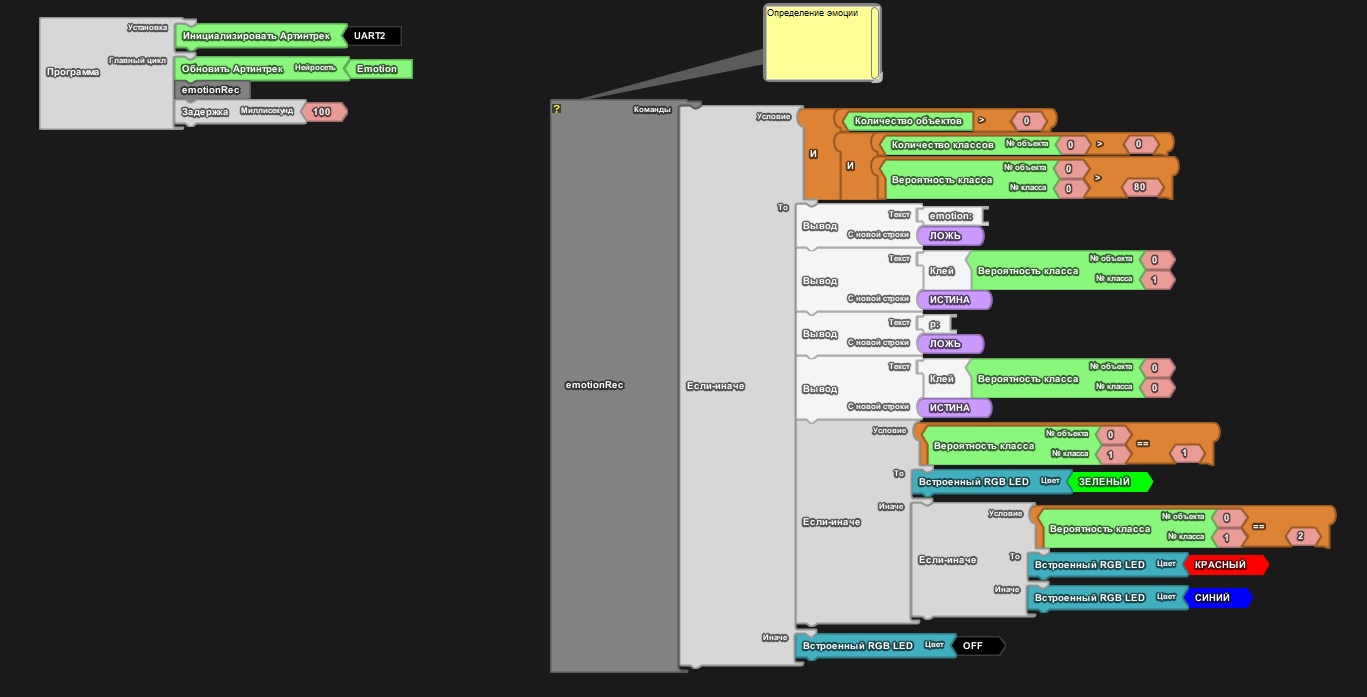 |
| Hand gesture recognition | Displays gesture information and lights the RGB LED in the corresponding color. | 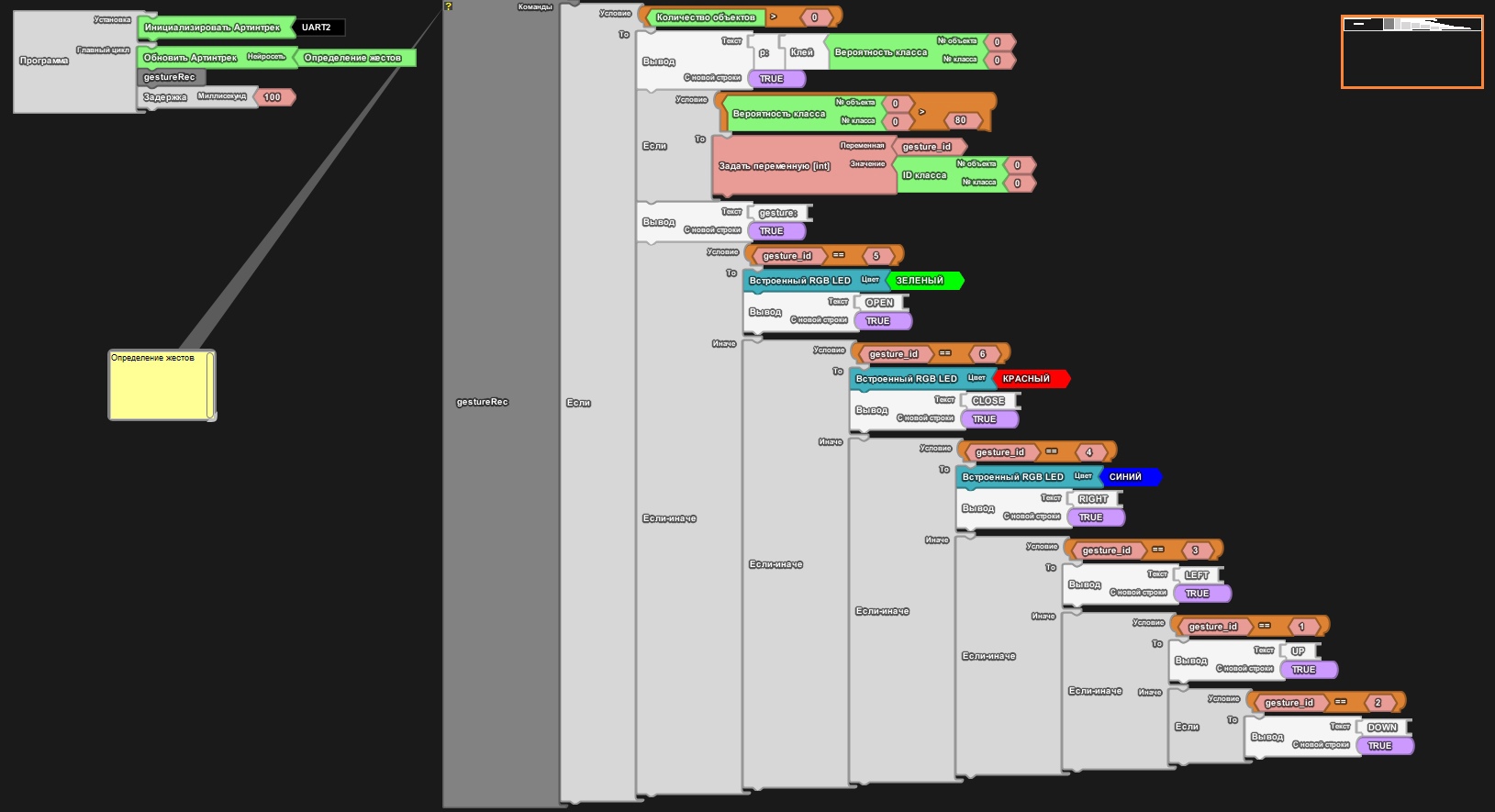 |
| Five facial landmarks | Displays the coordinates of one of the five points. | 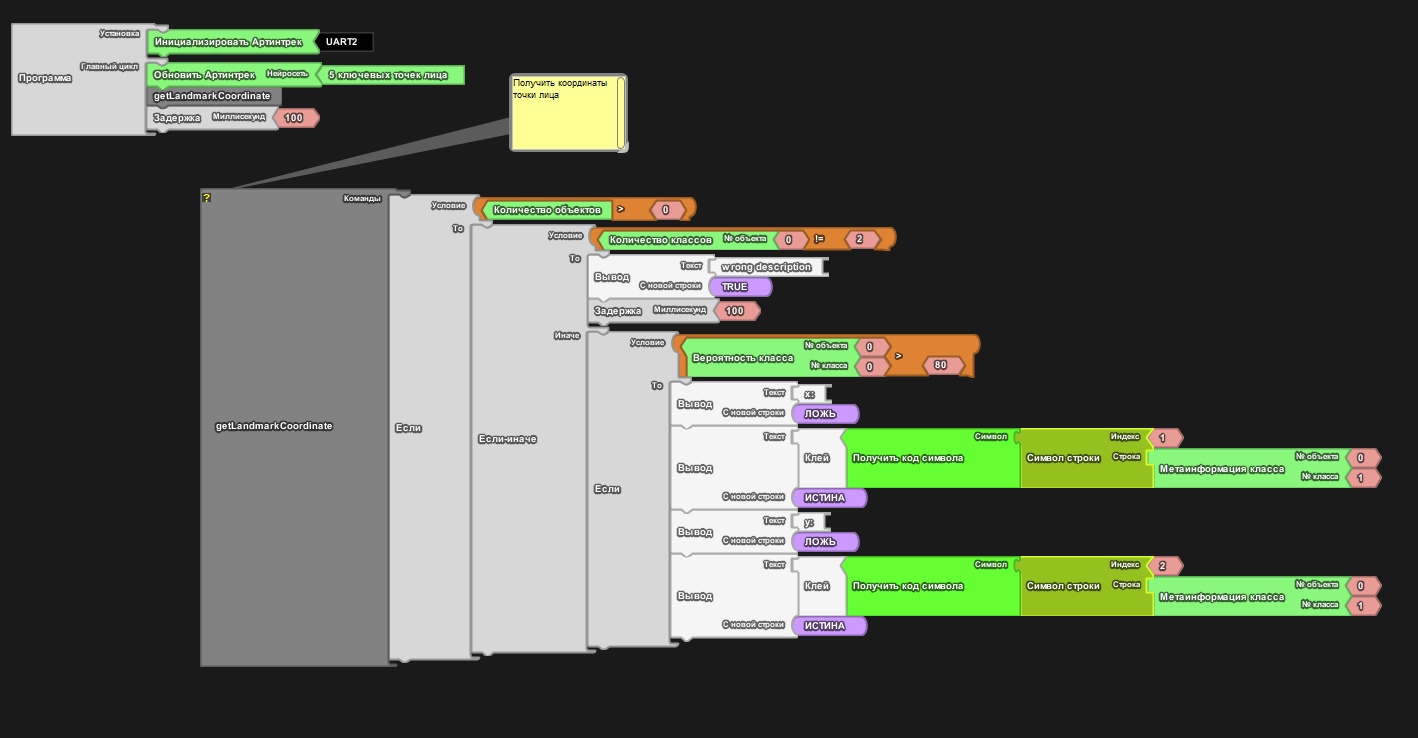 |
| 35 facial landmarks | Displays the coordinates of one of the 35 points. | 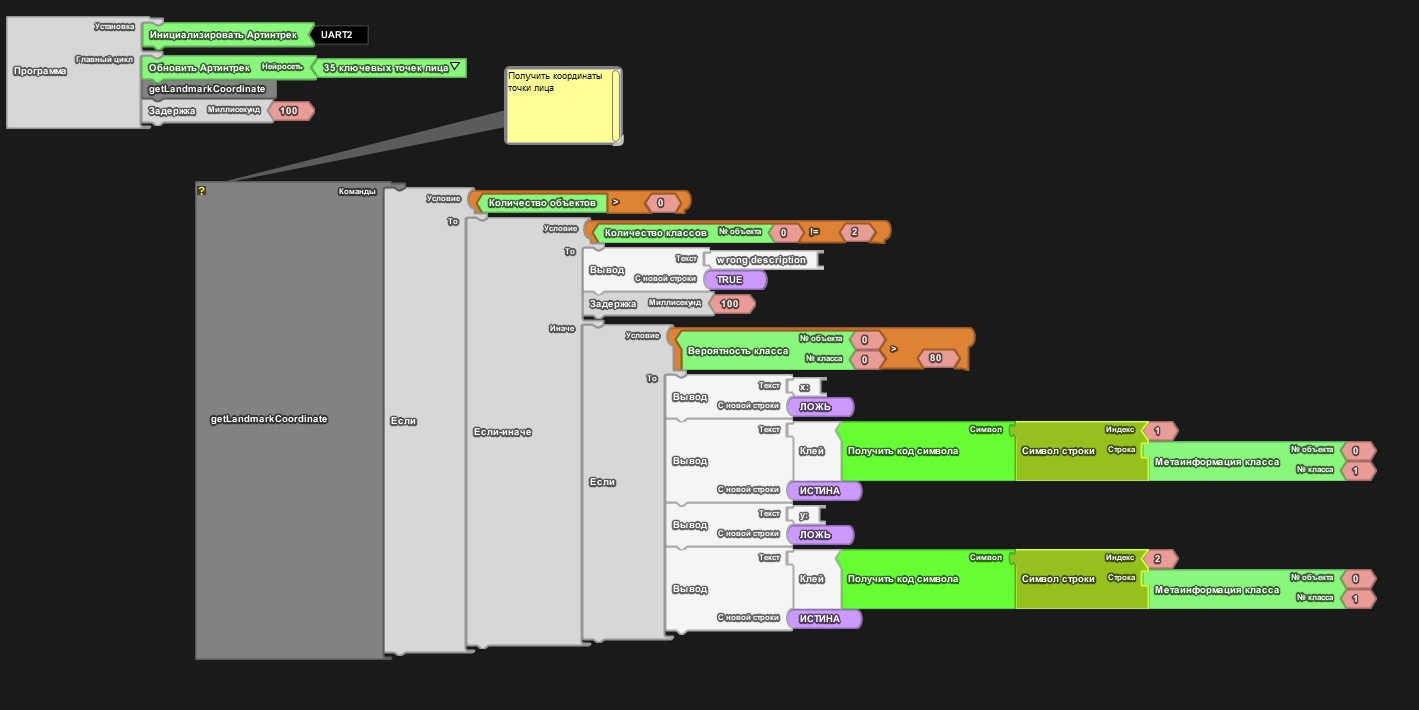 |
| Face recognition | Press the Trackduino down button to capture two reference faces. The first turns the built-in RGB LED green and the second blue; press up to clear the reference faces. | 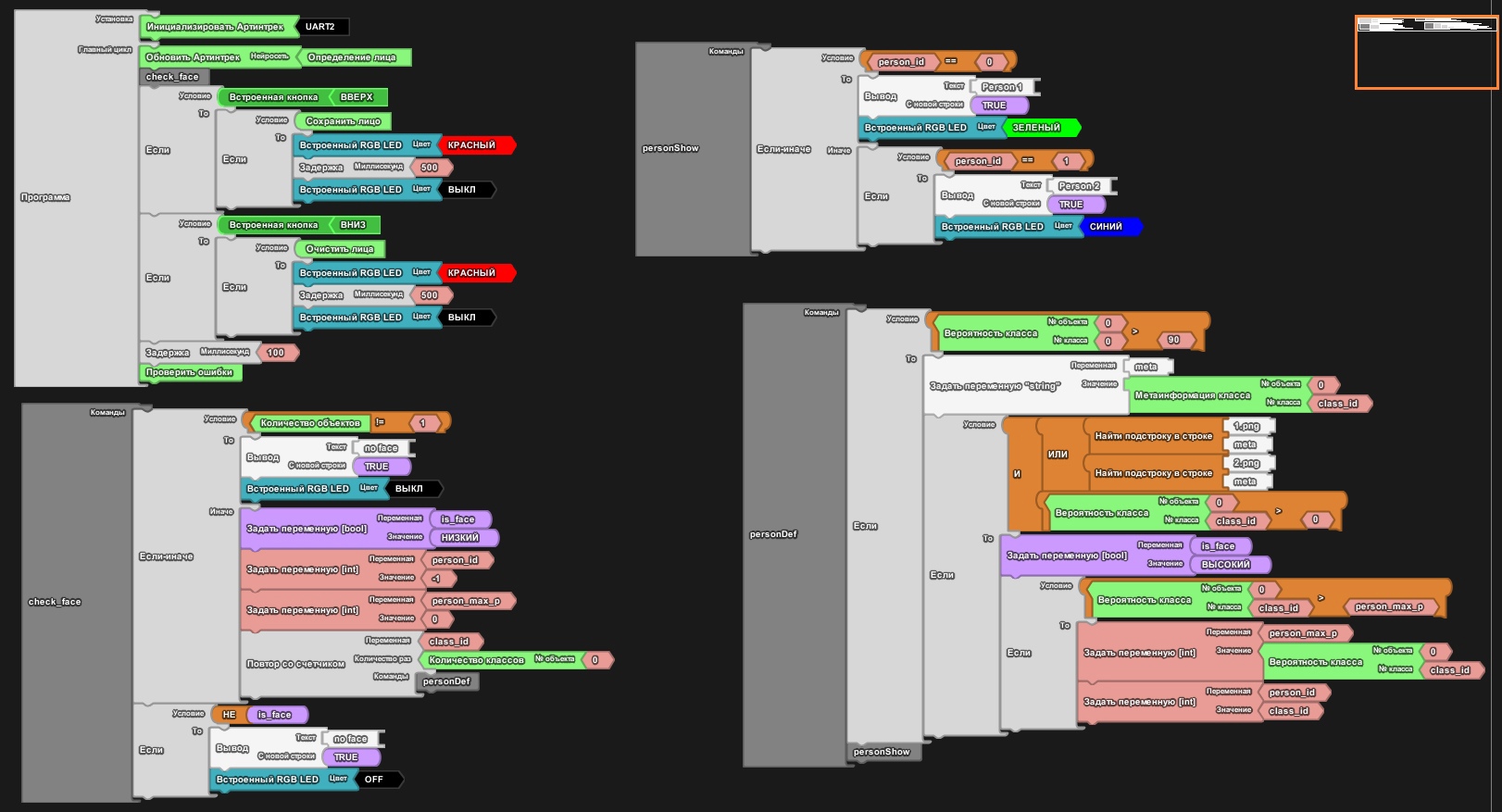 |